How to use ?
1. Register as a Buy&Ship member
- Sign up with your Gmail / Facebook account or Apple ID (App only)
- Fill in your basic personal information during the registration
- Upon your registration, you will get a unique member ID which will be used for identifying your parcels during the shipping process.
Reminder
- Please note that your email address is taken to be the major identification of your membership. Once the email address is registered, you can not change it by yourself.
- As we will send you email notifications regarding the status of your parcels, you are strongly recommended to sign up with a most frequently used email account. If you sign up with a Facebook account, please remember to check your email which is associated with Facebook.
2. Add your overseas shopping request
- Add a buying request
- Go to Member centre > Buying request > Add request to add your shopping request.
- You can simply paste your product URL to the submission box and the product information can be auto-filled.
- Confirm the product details before adding the items.
- You can add more than one items for each requests, confirm your shopping details before you confirm the order.
- Order Approval and make your order payment
- It normally takes us 1-2 working days for the approval process. You will be notified after the order have been approved.
- After the order approved, you can go to Member centre > Proxy order > Ready to pay to find your order and pay for the order.
Reminders
- Please make sure to pay the order before the order expires, we will process your order after you have paid the order.
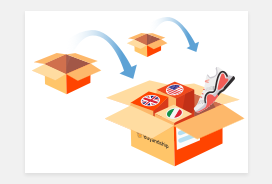
3. Consolidate your parcels and pay the shipping fee
- Please consolidate your parcels in Shipment orders > Ready to consolidate after you received the email notifications.
- Select parcels and select your delivery address for consolidation.
- And now, you only need to wait to receive your parcels. You can check your shipment status in Shipment orders.
Reminder
- When your parcels arrive at our sorting centre, please contact ys and request for a weight check of your shipments before you pay the delivery fee if you have any questions regarding the chargeable weight.
- Parcels can be stored at our sorting centre free of charge for 30 days, and afterwards there will be overdue storage fee. For more details, please refer to Pricing.
- You can have a look at the recommended overseas shopping sites which are picked up by our editors while waiting for your parcels.
4. Collect your goods
- Our delivery partner will send an SMS notification of the delivery time.
Reminder
- In case of Customs inspection, the time of delivery may be delayed. Please be patient.
Cut Off / Shipping Time
- 5 times / week
- U.S. (Portland): Tue to Sat
- Japan: Tue to Sat
- Korea: Mon to Fri
- 3 times / week
- China: Tue, Thu & Sat
- 2 times / week
- U.K.: Tue & Fri
- The above schedule is in Hong Kong Time (HKT).
- Delivery fee is based on the total weight of the parcel(s) after consolidated.
- Parcels arriving from our overseas warehouses will be checked out as soon as possible.
- When the delivery status of the package has changed to “Check Out”, it means that the package has been arranged for delivery to our sorting centre.
- Our warehouses are inoperational during the weekends and public holidays. If parcels can not be sent during the above-mentioned time, the delivery company will arrange the delivery to the next working day.
- Arrival time will be postponed by international public holidays.
- Korea and China: 2-4 days
- Japan: 4-6 days
- U.S. and U.K.: 5-8 days
FAQ
Register as Buy&Ship member
Buyforyou & Overseas Shopping
Friend Referral Program